

1.9. ChatGPT and Generative AI#
ChatGPT is one of many generative AI tools that have become popular in the last few years. These tools use large language models (LLMs) to generate text responses to prompts based off of what is a likely response. You can ask it to explain concepts, summarize articles, propose code or analyses, draft essays, or brainstorm ideas. But it doesn’t truly understand. Responses are predictions based on patterns in its training data. It can make mistakes, hallucinate incorrect facts, or be biased. Because of that, we must use it thoughtfully and critically.
Because ChatGPTs training set is essentially the internet, and there is quite a lot of code on the internet its ability to generate code can seem quite impressive.
However, the existance of ChatGPT does not mean it is pointless to learn Python! Quite the opposite!
Chat GPT means that if you learn some basic coding - for example, enough coding concepts and syntax to read code, you will be able to write code easily with help of ChatGPT.
In other words:
In days gone by, if you took a basic coding course (like this one) you could write basic code
Now, with help of AI, if you take a basic coding course like this one you can write advanced and efficient code
1.9.1. Oxford’s Guidance on AI Use#
Oxford has issued new guidance, policy statements, and student support materials around generative AI. Here are the key points:
The University now provides inclusive access to generative AI tools, including a free ChatGPTEdu account for students and staff.
Oxford has published “Advice on using artificial intelligence tools to support your learning”, stressing that AI can assist in reading, writing, or presentation work — but it cannot substitute your own critical thinking or the development of evidence-based arguments. University of Oxford
There is a new Policy on AI use and assessments that lays out expectations for both students and examiners when AI is involved in assessments
1.9.2. What this means for you (in practice)#
Appropriate Use (Encouraged)
You are encouraged to use AI tools to support your learning and understanding, for example to:
Clarify or rephrase complex concepts covered in lectures or readings,
Generate practice questions or coding exercises to test your understanding,
Debug your Python code or understand programming errors,
Explore alternative explanations, examples, or visualisations of course material
AI tools should be treated like a study aid, similar to a textbook or discussion with a tutor. They can help you learn, but they should not do the thinking for you.
Inappropriate Use (Not Permitted in Assessments)
You must not use AI tools to generate or substantially compose any part of your summative assessments (exam).
Specifically, it is not permitted to:
Use AI to write or edit assessed text on your behalf,
Use AI to analyse or summarise data for assessed work,
Submit AI-generated code or analysis as your own,
Paraphrase AI output without attribution, or
Present AI-generated answers as original work.
Such use is considered academic misconduct under University regulations, as it undermines the integrity of your independent work.
Transparancy
If you use AI tools for learning purposes (for example, to clarify a concept, check code, or generate study examples), you do not need to declare this formally. However, if you use AI in the preparation of work (practice exercises) that is shared with a tutor, you should acknowledge it briefly (e.g., “I used ChatGPT to help debug my code”). Speak with your tutor to understand what their personal preferences are.
1.9.3. An Example of AI as a Coding Partner#
I decided to see what ChatGPT would make of the coin-toss example.
We are going to want to copy the code into the Jupyter Notebook and run it, so let’s set up our Python libraries as usual:
# Set-up Python libraries - you need to run this but you don't need to change it
import numpy as np
import matplotlib.pyplot as plt
import scipy.stats as stats
import pandas as pd
import seaborn as sns
sns.set_theme(style='white')
import statsmodels.api as sm
import statsmodels.formula.api as smf
import warnings
warnings.simplefilter('ignore', category=FutureWarning)
Ask your question in English#
I started by asking ChatGPT for some code:
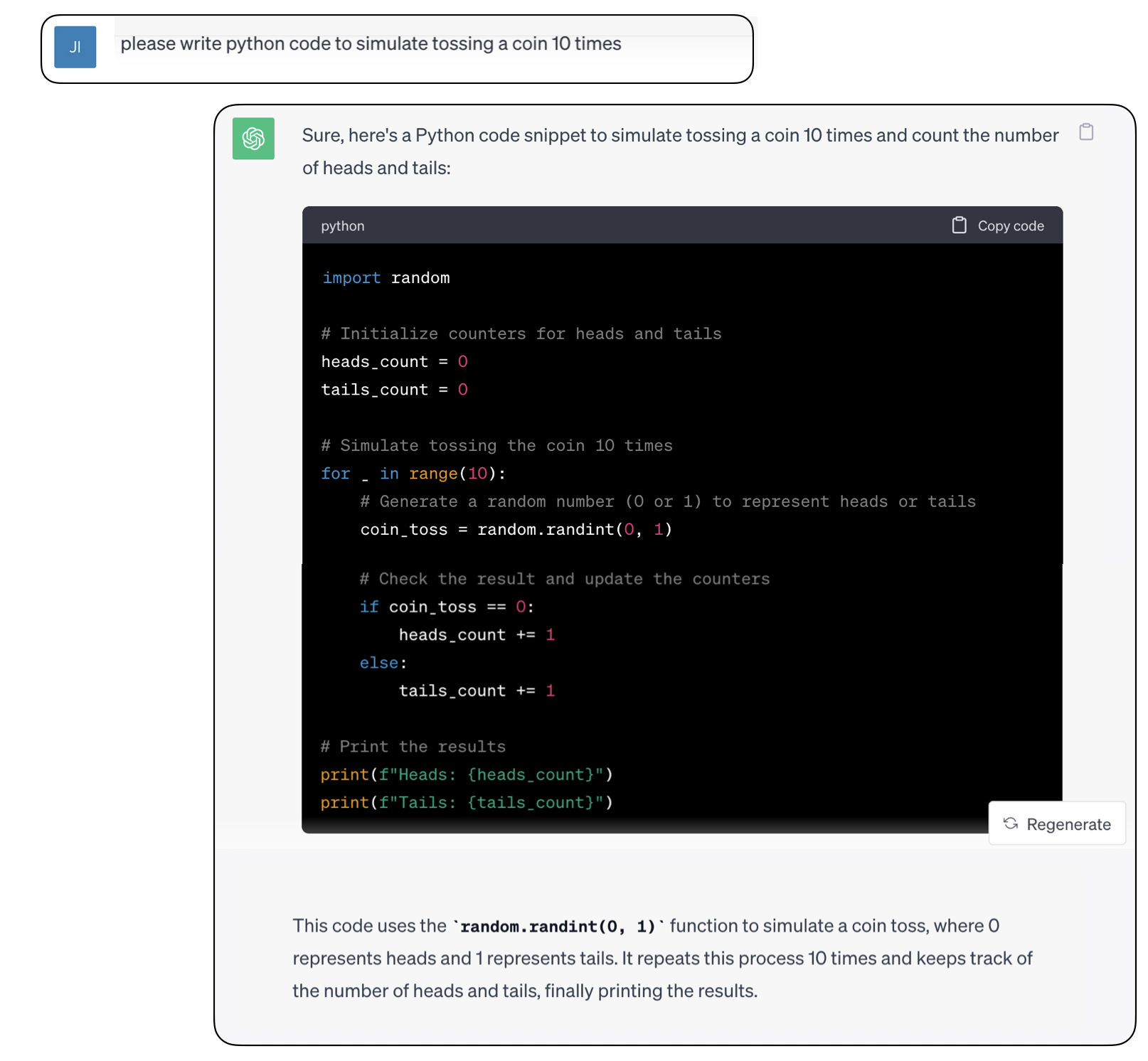
Note that ChatGPT not only writes the code, but it kindly explains what it has done in English afterwards!
Run it!#
Let’s copy-paste the code into our notebook and run it. Since the code you see above is actually a screenshot, I have pasted the text for you - but if you work with ChaatGPT directly you can copy-paste its output into a Jupyter notebook just like any other text.
Try running the code below a few times and watch how the output changes each time
Think - how is the output from this code different from the code my example, in section 1.6.1 of these notes?
import random

# Initialize counters for heads and tails
heads_count = 0
tails_count = 0

# Number of times to toss the coin
num_tosses = 10

# Simulate tossing the coin 10 times
for _ in range(num_tosses):
    # Generate a random number (0 or 1) to represent heads or tails
    coin_toss = random.randint(0, 1)

    # Check the result and update the respective counter
    if coin_toss == 0:
        heads_count += 1
    else:
        tails_count += 1

# Display the results
print(f"Heads: {heads_count}")
print(f"Tails: {tails_count}")
Heads: 8
Tails: 2
Understanding the code#
I’m now going to try running little bits of the code separately to get a better understanding of it.
Import necessary libraries#
First, I’m going to import the same packages that Chat GPT used - checking at the top of the code snippet to see what they were.
Note that in the example Jupyter notebooks in these course notes, there is always a block at the top importing the relevant Python libraries which are the ones used in my code on this course; but ChatGPT doesn’t limit itself ot the same set of libraries, so you might need to import any additional ones it is using.
import random
Try out any unfamiliar functions#
According to the explanatory note, ChatGPT used a function called random.randint(), and indeed I can see that this was run on each pass through the loop.
I’m not familiar with the function random.randint() so I might have a little try in my Jupyter notebook to see what it does (it could also be useful to Google for the documentation of this function, although in this case I think that won’t be necessary)
Since we know (from the name and the explanatory text) that it is a random function, we might try running it a few times to see if the output changes randomly.
random.randint(0,1)
1
OK, it generates 0s and 1s at random.
Comprehension questions#
The result of running ChatGPT’s code is a count of how many heads and tails we got (from 10 coin tosses)
This is different from my version in section 1.6.1 of these note, which also saved each individual outcome in an array, and hence retains information about the order of the outcomes
What appraoch did ChatGPT use to count the heaads, which resulted in it retaining only the total number of heads but not the order of heads and tails?
This may be unfamiliar syntax but look at the code and have a guess
1.9.4. Modifying the question#
ChatGPT did exactly what I asked (counted the number of heads) but I have not realised I actually wanted to record the sequence of heads and tails. How can I modify my question to get nearer to what I want?
Here’s my next attempt:
I started by asking ChatGPT for some code:
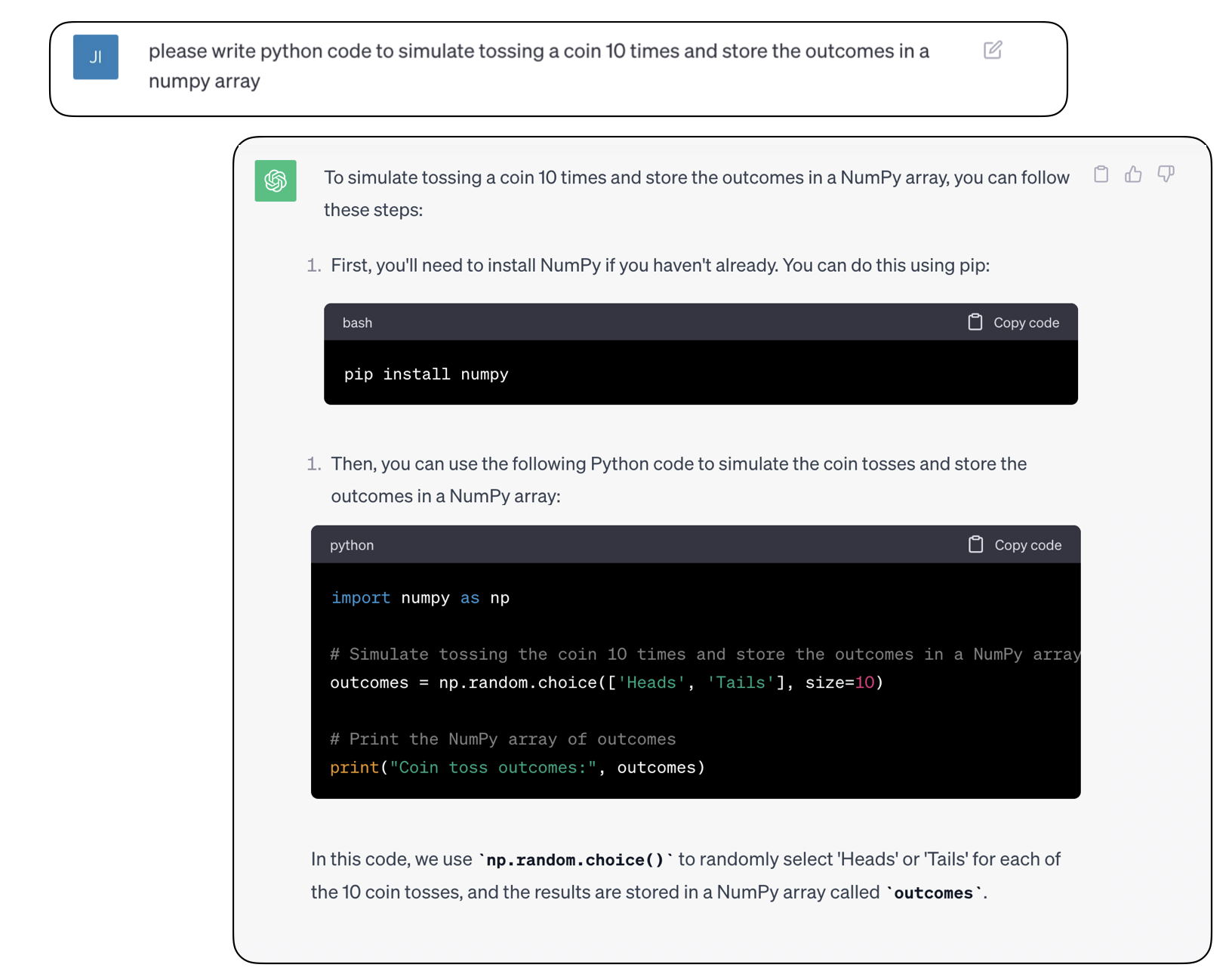
Ooh, it looks like this is a little more efficient than my version, as ChatGPT has realised there is a numpy function to generate the array of 10 ‘coin tosses’ in one step, rather than going round a loop 10 times.
Let’s check it out on the command line
We won’t need to install or import numpy as we already have this (it is imported int he code block aat the top fo this notebook) so we can get straight down to business:
outcomes = np.random.choice(['Heads','Tails'], size=10)
print("Coin toss outcomes:", outcomes)
Coin toss outcomes: ['Tails' 'Heads' 'Tails' 'Tails' 'Heads' 'Tails' 'Heads' 'Heads' 'Tails'
 'Heads']
Uh-oh, I’m not going to be able to count the heads by summing the array, am I?
I’d rather we coded heads and tails as 0 and 1.
I could go back and ask ChatGPT again, but maybe I could just slightly change the code to do that?
outcomes = np.random.choice([0,1], size=10)
print("Coin toss outcomes:", outcomes)
Coin toss outcomes: [1 0 1 0 1 1 1 0 0 0]
sum(outcomes)
np.int64(5)
Hurrah!
Comprehension question#
What is wrong with the following code?
What would happen if I try to count the heads by taking the sum of the outcomes?
outcomes = np.random.choice(['0','1'], size=10)
print("Coin toss outcomes:", outcomes)
Coin toss outcomes: ['0' '0' '0' '1' '1' '1' '1' '0' '1' '0']
1.9.5. Conclusion#
Chat GPT can really help with this coding task, but you may need to make some tweaks to get exactly what you want, and you may need to do some extra work to understand exactly what it is doing.
It can be very helpful, BUT in order to make use of it you will need to be able to read the code it outputs - this course should give you that ability.
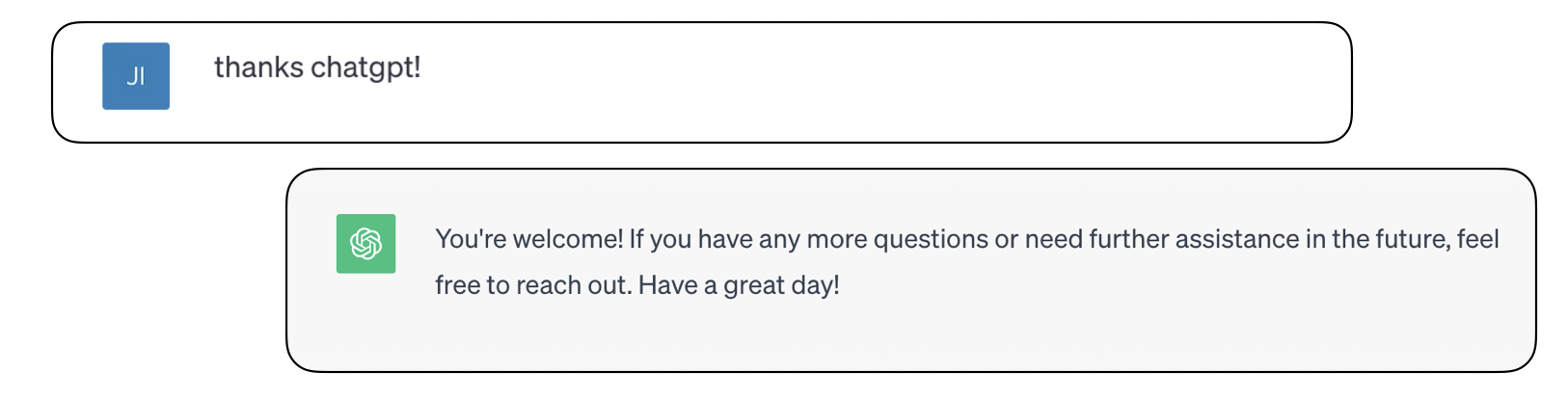
Aw, what a ray of sunshine.
I don’t think it’s plotting to take over the world and enslave us all, do you?
Thanks to David Hays for suggesting this exercise